|
Linuxpops
3.01.04
Spectral Anaysis Package for Single Dish Data
|
|
Linuxpops
3.01.04
Spectral Anaysis Package for Single Dish Data
|
From "Atmospheric Modeling for ALMA"
ATM is a library of routines for modeling transmission of cm/mm/sub-mm wavelength radiation through the Earth's atmosphere. It is designed to simulate both the absorption/emission of radiation and the dispersion (i.e., the frequency dependent refractive index of the atmosphere).
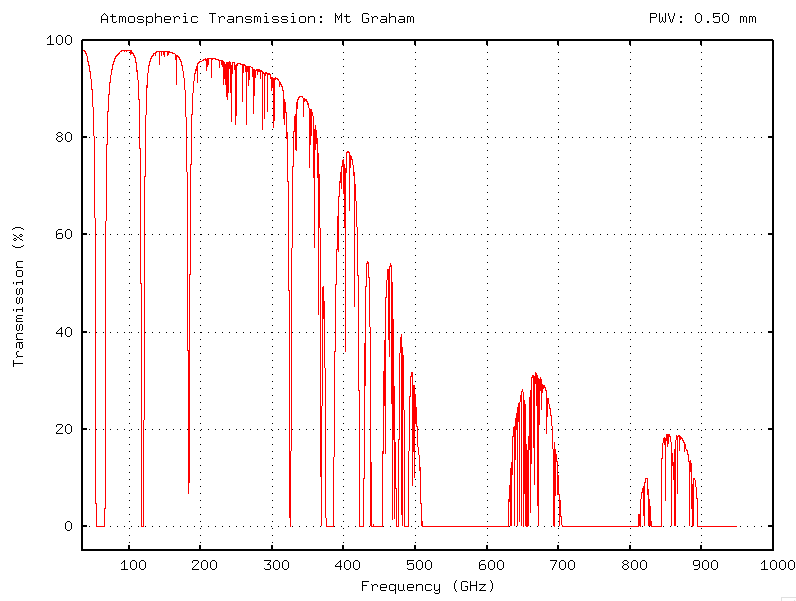
Linuxpops uses this library to produce simple atmospheric profiles for the current observing conditions, and when use in conjunction with the recalled data scans, can show the atm conditions at the time of the observation.
Invoke atm like this to see the help info:
To generate the atmospheric model use the /g flag. You can also supply the mm of precipitable water vapour, or allow the info from the loaded scan to set the parameters of generation.
Generate the model based on parameters from scan header; NOTE: must have loaded a scan first. The site elevation will be determined from the data header.
atm /g /a
Generate the model using standard parameters for Kitt Peak or Mt. Graham using 0.5 mm h2o. The site elevation will be determined from the data header. (Assuming one is loaded)
atm /g 0.5
To generate plots just type atm followed by several options.
Plots a simple atm Zenith Opacity plot
atm
Plot zenith Opacity from ALMA Band-2 - ALMA Band-6
atm /2 /6

Add ALMA Band labelling and shading to plot
atm /m

Plot zenith Opacity from ALMA Band-2 - ALMA Band-6 and include ALMA Band designators.
atm /2 /6 /m

Plot zenith Opacity from ALMA Band-2 - ALMA Band-6 and include ALMA Band designators and USB & LSB designators. (Tuned sideband in Green, other sideband in Magenta)
atm /2 /6 /m /u

 1.8.5
1.8.5 
